Roll A Gnome Offline Progress
Prep your gnomes and plots so the garden keeps working while you are logged out.
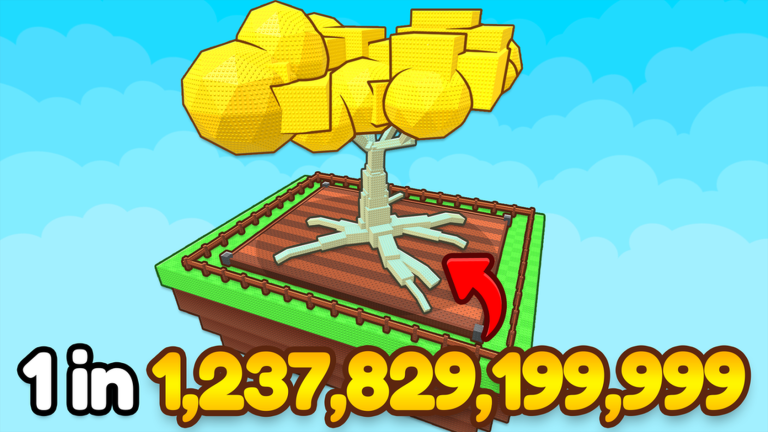
The official pitch for Roll A Gnome promises a garden that grows offline. That feature is the heart of the incremental fantasy: your gnomes keep planting value while you sleep, study, or play something else. This guide explains how to prepare for offline progress and how to cash in when you return.
What offline growth means here
While you are away, placed gnomes continue the crop loop according to the game’s offline rules. You are not actively rolling during that time. Offline progress rewards setup quality — which gnomes you left planted, whether your plot had space, and whether you left sellable crops unblocked.
Pre-logout checklist
- Place your strongest farming team (see Best Farming Gnomes)
- Clear inventory bottlenecks so returns do not soft-lock
- Harvest and sell enough that storage is not already full
- Expand tiles if you are constantly cramped — Expand Your Garden
- Confirm Free Luck Rewards are claimed for your next online roll session
- Mark your next purchase on the Progression Planner
What to prioritize before AFK
| Priority | Why |
|---|---|
| Best crop generators planted | Offline value scales with workers left on the plot |
| Plot space unlocked | Empty tiles mean wasted gnome potential |
| Cash not left idle in huge piles without a plan | Know the first upgrade you will buy on return |
| HUD clear of unfinished tutorials | Soft locks waste offline time |
When you log back in
- Collect or harvest pending crops
- Sell immediately if cash is needed for an upgrade
- Replace weak gnomes if you rolled better ones last session
- Only then open Roll menus under full luck (How to Get More Luck)
- Skim Patch Notes if the place updated while you were gone
Offline vs active play roles
- Offline: income and passive garden growth
- Active: rolling, expanding, redeeming codes, rearranging teams
Players who only log in to roll without planting for offline hours miss half the design. Players who only AFK without ever improving rarity also plateau. Alternate both modes using Make Money Fast on active days.
Multiplayer servers and AFK
You can stay in a server AFK or fully log out depending on your goal. Full logout relies on the game’s offline calculation. Sitting AFK in-server may still allow certain active timers to tick but uses a device. Choose intentionally. Server player caps are small (eight), so a quiet private-enough server is easy to find via the Links Hub play link.
Automation note
Auto Collect Script style tools target active sessions. They are not a substitute for correct offline placement and may violate Roblox rules. Manual prep remains the safe baseline.
Measuring whether offline is “working”
If returns feel weak:
- Did you actually place gnomes?
- Did you leave only low-tier workers?
- Was the plot too small?
- Did you forget to sell and hit a cap earlier?
Fix setup with Getting Started fundamentals before assuming a bug. Offline progress is a multiplier on the team you already built — invest in that team first.
Overnight versus workday AFK
Overnight logout favors maximum farming placement and empty storage. Workday AFK with the client open may favor staying near sell UI if you can glance occasionally, but that is optional. Do not assume both modes pay identically; test once and note the difference for your account.
If overnight returns look broken, verify you actually placed gnomes, not merely owned them. Inventory celebrities do not farm. Take a screenshot of the plot before logout for a week until the habit sticks.
Party planning for offline
Before long trips, complete Luck Checklist end-session items, skim Patch Notes so you are not surprised mid-vacation, and leave the Progression Planner with a first action for your return. Coming home to a rich garden and no plan leads to impulsive spending. Coming home with a plan turns offline cash into deliberate power.
Frequently Asked Questions
Quick answers to the most common questions.
Does Roll A Gnome grow while I am offline?
Yes — the experience advertises offline garden growth. Place strong gnomes and free up plot space before you log out.
Do I earn rolls offline?
Offline focus is crop and garden progress. Rolling is an active action you do when you return with cash and luck bonuses ready.
Should I leave the game open or close it?
Closing relies on offline progression. Leaving it open keeps you in-server for active timers but needs a device running. Pick based on your situation.