Roll A Gnome Harvest and Sell Crops Guide
Turn planted gnomes into cash on a schedule that funds luck-boosted rolls without panic spending.
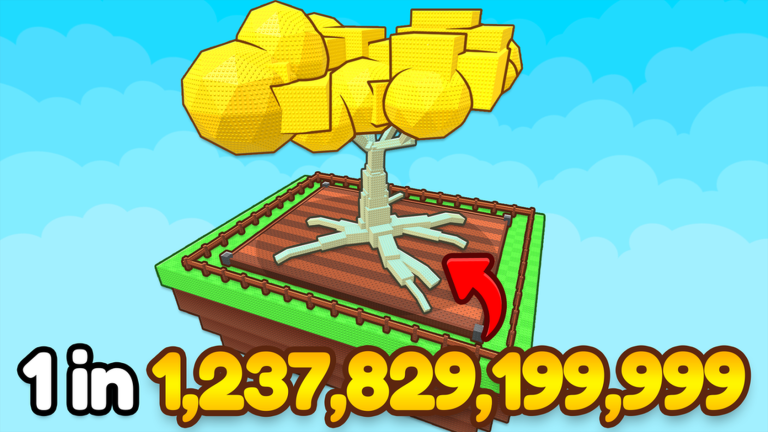
In Roll A Gnome, harvest and sell is the engine room. Gnomes plant crops; crops become cash; cash buys rolls and tiles. Players who only chase rare animations forget this loop and stall. This guide teaches a sell cadence that funds progress.
Why harvest rhythm matters
- Rolls without a cash floor end mid-block
- Offline income only helps if crops actually exist on tiles
- Expansion and upgrades compete for the same wallet
- Clean sell cycles make Make Money Fast concrete
Step-by-step harvest loop
- Confirm your best workers are planted — Best Farming Gnomes
- Walk or scan tiles until crops are ready
- Harvest produce into your wallet or bag flow
- Sell on a deliberate schedule, not only when broke
- Reserve cash for the next action in the Progression Planner
Sell timing rules
Sell after a full garden pass when you need a roll block. Hold a small buffer if an expansion is one harvest away and keepers are waiting — Expand Your Garden. Never sell-panic into zero right before logout; leave enough to think, and plant first for Offline Progress.
Funding a roll block from crops
- Run Luck Checklist
- Harvest and sell until you hit your written cash target
- Clear inventory slots — Inventory Management
- Execute the block in How to Roll Gnomes
- Place keepers immediately; recycle the rest
Harvest mistakes that drain income
- Leaving strong farmers unplanted while weak commons occupy tiles
- Expanding mid-harvest when keepers already need space — wait until the sell funds the tile
- Auto-collect without watching sell values after patches — re-test via Patch Notes
- Ignoring mobile camera friction — fix with Controls
Linking sell speed to rarity patience
Faster sell cycles do not raise drop rates. They raise sample size under full luck. Read Drop Rates & Odds so you do not interpret a strong harvest hour as a promise of ultra-rares.
Offline and harvest together
Before logout:
- Final harvest and sell if you need wallet clarity
- Plant the highest farming team you own
- Leave tiles filled — empty plots earn nothing overnight
- Optional: note tomorrow’s bottleneck in the planner
Scripts and harvest helpers
Collect automation can reduce walking on large plots. It also hides economy changes if you never glance at sell totals. Pair any helper with manual spot-checks and the risk notes on Auto Collect Script and the Scripts Hub.
Session template (30–45 minutes)
- Luck green
- Harvest pass
- Sell to target
- One roll block or one expansion — not both unless keepers force it
- Replant
- Short offline pack if you are done
After the 2026-08-15 live update window
Universe activity remains high (~3.65M visits, thousands concurrent during the 16 Aug 2026 research pass). When economy numbers shift, re-time your sell targets before copying old cash floors from screenshots. Cross-check Codes Hub only for verified promos — none are widely verified at this refresh — and keep Getting Started habits if you are still filling tiles.
Teaching friends the sell loop
Send new players here plus Common Mistakes and Free Luck Rewards. The fastest way to look “stuck” is rolling first and harvesting never.
Treat harvest as a skill equal to rolling. The garden that sells on schedule buys better workers; the garden that only rolls waits on hope.
Crop value awareness without a public spreadsheet
8 Digit Bros has not published a full public crop price table that we can verify as complete. Instead of chasing rumor sheets, measure your own sell totals after each full garden pass and note whether a worker swap raised the next cycle. That habit beats copying numbers from lookalike games. When patches move economy levers, re-baseline using Patch Notes and the post-update re-test list rather than old screenshots.
Multiplayer harvest etiquette
Servers support up to eight players. Neighbors do not harvest your tiles for you, but camera clutter and Shop UI overlap can slow a harvest pass. Use Controls to keep focus on your plot, then sell before you chat or screenshot. Social flexing mid-harvest is how buffers disappear.
Pairing harvest with keep-or-replace decisions
After two clean sell cycles, decide which planted workers still deserve tiles. Use Keep or Replace so harvest data — not vibes — drives replacements. Then fund the next measured block from How to Roll Gnomes. Also skim How to Play if a friend needs the full loop before sell math.
Frequently Asked Questions
Quick answers to the most common questions.
When should I sell crops in Roll A Gnome?
After a full harvest pass when funding a roll or expansion. Keep a small buffer and plant before logout.
Does selling faster increase rare odds?
No. It funds more rolls under luck. Ultra-rare odds stay extreme — see Drop Rates & Odds.
Should I use auto collect?
Optional for large plots. Always spot-check sell values after updates and read Scripts Hub risks.